Core Web Vitals in 2026: What’s Changed and How to Pass

Core Web Vitals in 2026: What’s Changed and How to Pass

Google just quietly changed the rules. INP replaced FID as an official Core Web Vital. If you haven’t updated your monitoring stack yet, you’re flying blind right now.
I track these updates obsessively. INP measures full interaction delay, not just input response. It’s harder to pass, more realistic, and Google is already using it in rankings.
Metric | Good (Pass) | Needs Improvement | Poor |
|---|---|---|---|
LCP | ≤ 2.5s | 2.5s – 4.0s | > 4.0s |
CLS | ≤ 0.1 | 0.1 – 0.25 | > 0.25 |
INP | ≤ 200ms | 200ms – 500ms | > 500ms |
Optimizing for the Right Metrics
Fixing Interaction to Next Paint (INP)
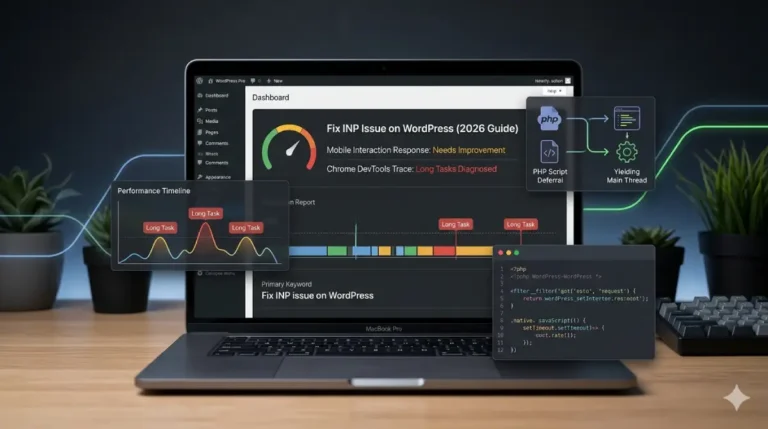
INP fails when the main thread is blocked. Heavy JavaScript is usually the culprit. Break long tasks into smaller chunks. Use scheduler.yield() to hand control back to the browser between tasks.
🚀 Try my Live HTML CSS JS Editor & Tester right in your browser.
Third-party scripts kill INP silently. Load them with defer or async. Audit what you’re actually loading. One bloated tag manager can push you from 180ms to 600ms overnight.
Developer’s Note: If you are building a full-scale website, the Core Web Vitals Case Study can help optimize your code’s production speed by 60%!
Improving Largest Contentful Paint (LCP)
Your hosting matters more than most developers admit. A cheap shared server adds 400–800ms before a single byte loads. Move to a CDN-backed host. That alone can cut LCP by half.
Preload your hero image. Use <link rel="preload"> for above-the-fold images. Inline your critical CSS to eliminate render-blocking. These two changes alone can move LCP from 3.2s to under 2s.
How to Fix Core Web Vitals in WordPress Without Plugins
Cleaning Up the Header and Assets
WordPress loads scripts and styles you never asked for. Open functions.php. Use wp_dequeue_script() and wp_dequeue_style() to remove them. Check what’s loading in the browser’s DevTools first.
php
function remove_unused_assets() {
    wp_dequeue_style('wp-block-library');
    wp_dequeue_script('jquery');
}
add_action('wp_enqueue_scripts', 'remove_unused_assets', 100);
Dequeue per page, not globally. Some scripts are needed on specific templates. Use is_front_page() or is_single() conditionals. Removing jQuery site-wide breaks things fast.
Watch Video: Don’t miss out! Check out my latest YouTube video for in-depth insights and exciting content. Click here to watch ByteScript MZA now!
Manual Image Optimization and Server Rules
Enable Gzip or Brotli at the server level. Add this to your .htaccess Apache. Brotli compresses 15–20% better than Gzip. Most modern hosts support both.
apache
<IfModule mod_deflate.c>
  AddOutputFilterByType DEFLATE text/html text/css application/javascript
</IfModule>
Skip lazy-loading plugins. Use the native HTML attribute instead. Add loading="lazy" to every below-fold <img> tag. Never add it to your LCP hero image.
html
<!-- Hero image: no lazy loading -->
<img src="hero.webp" alt="Hero" fetchpriority="high">

<!-- Below fold images: lazy load -->
<img src="section.webp" alt="Content" loading="lazy">
Eliminating Layout Shifts for Better UX
Solving Cumulative Layout Shift (CLS)
Most layout shifts come from images with no declared size. The browser doesn’t know how much space to reserve. Add width and height directly in the HTML. The browser does the rest.
html
<!-- Wrong: causes layout shift -->
<img src="photo.webp" alt="Team">

<!-- Right: browser reserves space immediately -->
<img src="photo.webp" alt="Team" width="800" height="450">
These attributes don’t override your CSS. Set them to the image’s natural dimensions. Your responsive CSS still controls display size. The browser just uses the ratio to hold space early.
Handling Dynamic Ad Units and Fonts
Fonts swap late and shift text. Fix it with font-display: optional or preload the file. Never let a font load push content down. That single shift can tank your CLS score alone.
css
@font-face{
  font-family: 'Inter';
  src: url('/fonts/inter.woff2') format('woff2');
  font-display:swap;
 }
Ad units are the worst CLS offenders. Reserve space before the ad loads. Use a wrapper div with a fixed minimum height. The layout stays locked even if the ad loads late.
css
.ad-wrapper {
  min-height: 250px;
  width: 100%;
  contain: layout;
}
Long-Term Performance Strategy
Ongoing Site Maintenance
Core Web Vitals scores drift. New plugins, theme updates, and third-party scripts quietly degrade performance. Run a full audit every 90 days minimum. Use Chrome UX Report data, not just lab scores.
Set up real user monitoring. Tools like Sentry or Cloudflare Analytics track field data passively. You want to catch regressions before Google does. A drop in CWV scores precedes ranking drops.
Still Failing Your Assessment?
You’ve read the guides, applied the fixes, and your score barely moved. That means the problem is deeper than surface-level optimizations. Code-level bottlenecks require someone who reads performance traces for a living.
Still failing your assessment? Get professional core web vitals consulting to audit your code-level bottlenecks. One focused session often uncovers what hours of solo debugging were missed entirely.
Core Web Vitals FAQ
Don’t forget to check out my other step-by-step guides to optimize your digital asset:
- Essential Roadmap: Fix PageSpeed Unable to Resolve URL: The Complete Beginner’s Handbook
- Developer Tools & Web Stacks: Want to see how these architectures operate in action? Explore The Role of APIs in Web Development: A Real Shopify Case Study to learn how to build decoupled, fast-loading, and high-converting storefronts.