Google AdSense for WordPress: Maximize Your Revenue 2026

Google AdSense for WordPress
If you are a blogger or a business owner looking to monetize your content, Google AdSense for WordPress remains the most reliable and powerful platform in 2026. While the digital landscape has become more competitive with AI-generated content, AdSense has evolved to offer smarter, more targeted ad delivery that respects user experience.
As a web developer, I know that the secret to high earnings isn’t just about “showing ads”—it’s about integrating them without killing your website’s speed. In this guide, I’ll show you how to set up and optimize AdSense for maximum profit.
1. Understanding Google AdSense in 2026
In 2026, Google AdSense for WordPress is driven by advanced machine learning. It doesn’t just look at keywords; it understands user intent. This means the ads shown on your site are more relevant than ever, leading to higher Click-Through Rates (CTR).
Why WordPress is the Perfect Partner
- Seamless Integration: Thousands of themes and plugins make setup easy.
- Performance Control: You can precisely control where and how ads load to maintain your PageSpeed scores.
2. Setting Up Your AdSense Account
Before you can start earning, you need an approved account.
- Sign Up: Visit the AdSense website and register with your Google account.
- Quality Check: Ensure your site has high-quality, original content and essential pages (Privacy Policy, About Us).
- Approval: Once approved, you’ll get access to your dashboard to generate ad codes.
3. Connecting WordPress with AdSense
There are two primary ways to implement Google AdSense for WordPress as a solo developer:
A. Using Reliable Plugins
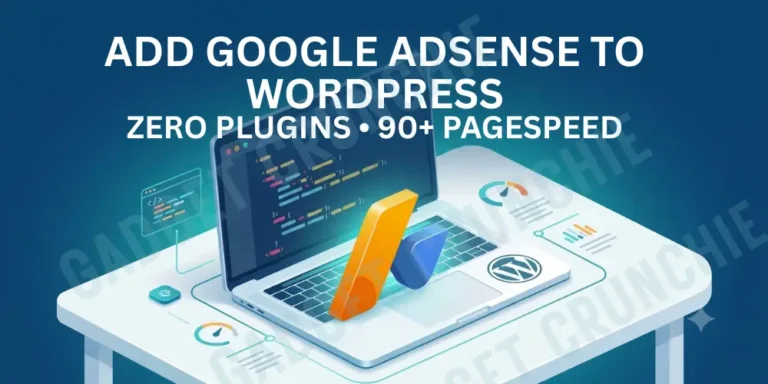
For most users, plugins like Site Kit by Google or Ad Inserter are the best choice. They allow you to place ads automatically without touching a single line of code.
B. Manual Code Integration
If you prefer a lightweight site (like I do), you can manually insert the AdSense code into your header.php site or use a “Hooks” system in themes like Astra or Kadence. This method reduces plugin bloat and keeps your site fast.
4. Ad Placement Strategy (The Solo Dev Secret)
Strategic placement is what separates high-earners from the rest. In 2026, user experience (UX) is a ranking factor, so your ads must be non-intrusive.
| Ad Type | Best Placement | Impact on UX |
| Auto Ads | System-wide | Hands-free, but can be messy. |
| In-Article Ads | After the 2nd & 5th Paragraph | High engagement, low intrusion. |
| Sidebar Ads | Top of Sidebar | Great for desktop users. |
| Anchor Ads | Bottom of Screen | Very high CTR on mobile. |
Optimization Tips:
- Focus on INP: Ensure your ads don’t delay “Interaction to Next Paint” (INP) scores.
- Mobile-First: 80% of your revenue will likely come from mobile; test your ad layouts on small screens first.
Watch Video: Don’t miss out! Check out my latest YouTube video for in-depth insights and exciting content. Click here to watch ByteScript MZA now!
5. Compliance and Policy Safety
Google is strict about its policies. To keep your account safe:
- Never Click Your Own Ads: Even for testing.
- Avoid Prohibited Content: Ensure your niche follows Google’s family-friendly guidelines.
- Privacy Law Compliance: In 2026, having a GDPR/CCPA-compliant consent banner is mandatory for running ads.
Frequently Asked Questions (FAQs)
Conclusion: Monetize with Confidence
Integrating Google AdSense for WordPress is one of the most effective ways to turn your passion into a business in 2026. By balancing ad revenue with high-performance web design, you can provide value to your readers while building a sustainable income.
Remember, the key to success is quality. Keep your content fresh, your site fast, and your ad placements strategic.
Are you ready to start earning? If you’re struggling with ad setup or site speed, drop a comment below and let’s optimize your revenue together!